

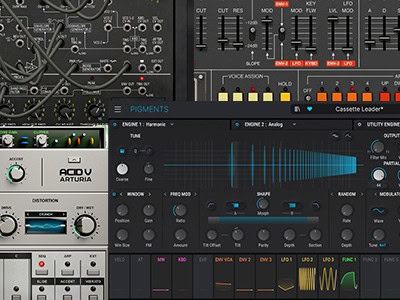


This short and helpful article shows you, how you can install Arturia sound banks from 3rd party sound designers.
This specific example is based on the SOLAR sound bank for Jup-8V. The installation process for other Arturia software synths will be the same.
It`s also recommended, to always have the latest version installed. How you can find out the version of your installed Arturia VST synth is displayed in this guide as well.
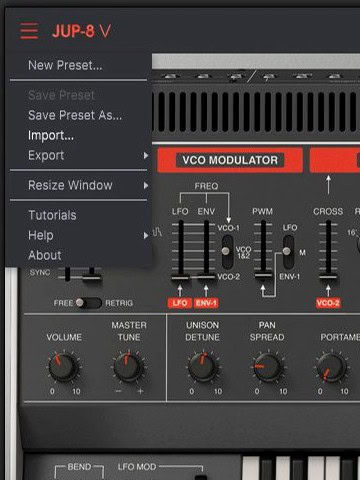
1 Click on the menu icon in the top left corner of the Jup-8V user interface, to access the menu. A drop-down menu will be shown – click on “Import…”
Now select the “CFA-Sound SOLAR Jup-8V – Melodic House & Techno.jup4x” file from your hard drive.
For every Arturia software synthesizer there is an own file format, which contains all the patches, once exported. The file format ending will probably look always different from plugin to plugin, but the process stays the same.
2 After a short moment, the soundbank is imported and will show up in your Jup-8V preset browser, which you can access via the browser icon in the top middle of the user interface. From there, navigate to “My banks”, and you will find the “CFA-Sound – SOLAR” soundbank listed there.
To now use the sound bank of this specific example, without any compatibility issues, it`s required to have Jup-8V version 4.2.1.1843 or later installed.
You can easily find out, which exact version you have installed, by clicking on the menu icon in the top left of the user interface, and click on the last item of the menu list “About” – a popup screen will appear, which shows the credits and the version number of the installed Jup-8V on your system, like in the example below.
In most cases our products (e.g. soundsets and presets packs) contain a detailed installation guide, if the presets based on the synthesizer, need to be placed in specific folders and of course, which version of the particular synthesizer is required to use the soundset files. Otherwise, the developer`s synthesizer manual always shows how its preset handling works and can be used.
If you have any questions left or if additional help and support are needed, feel free to contact us via our contact form or via our support forum on KVR.